

26 Aug, 26
Want to monetize your Palworld server without complicated setup?
Running a Palworld community takes time (and money): hosting, server management, moderation, updates, and events. Tip4Serv helps you fund your server with a professional Palworld donation store where players can support your community and automatically receive in-game rewards.
With Tip4Serv, you can sell items, Pals, resources, VIP perks, and memberships through an automated checkout—then deliver rewards directly to players on your Palworld server and Discord.
Step 1: Create your Tip4Serv account
Sign up at tip4serv.com. After registration, you’ll access your dashboard where you can manage your Palworld server monetization, products, payments, and settings.
Step 2: Set up your Palworld donation store settings
In the Tip4Serv Dashboard, go to Store Editor → Settings and configure your store:
Choose your store title and your subdomain (example: myservername.tip4serv.com)
Select your currency and store language
Write a short store description for SEO (what you sell + what makes your Palworld server unique)
A professional Palworld donation store builds trust and makes it easier for players to support your server.
Step 3: Connect your Palworld server to your donation store
To automate reward delivery, connect your Palworld server inside My Servers.
Add your Palworld server
(Optional) Add your Discord server to deliver roles and messages
Follow the Palworld connection and installation instructions shown in the dashboard
You can also follow the complete Palworld setup documentation.
Once connected, Tip4Serv can process purchases and automatically execute the configured rewards on your Palworld server.
Step 4: Set up payment methods for your Palworld store
Go to My Gateway and enable the payment methods you want. Tip4Serv supports 25+ payment options including PayPal, cards, and local payment methods.
This makes it easy for players around the world to purchase rewards from your Palworld webstore.
Step 5: Create products for your Palworld webstore
In My Products, create rewards that your Palworld players actually want:
Items and resources
Pals
In-game currency
VIP / premium perks
Starter packs
Limited-time packages
Memberships and subscriptions
Then configure what happens after payment: Palworld server commands, Discord roles, private thank-you messages, or public announcements.
Tip4Serv automatically replaces player identifiers and other configured variables when executing your commands, making reward delivery easy to automate.
Step 6: Test your Palworld store before going live
Enable TEST MODE in My Settings to simulate purchases and verify that your Palworld commands and Discord rewards work correctly—without real payments.
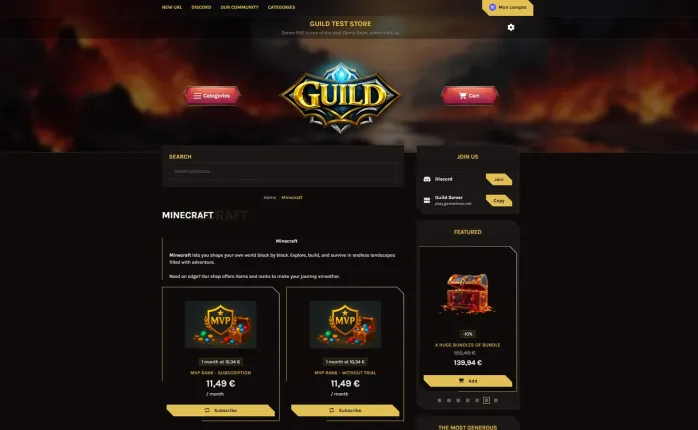
Step 7: Make your Palworld store look professional before launch
Customize your store logo, cover and colors from the customizer.
Match your store design with your Palworld server branding so players immediately recognize your community.
Step 8: Upgrade to Pro for advanced customization
Want a higher-converting store? Tip4Serv Pro unlocks advanced themes, custom CSS, visual UI controls, gift cards, and reduced fees—plus a 21-day free trial.
Start monetizing your Palworld server today
With Tip4Serv, setting up a Palworld donation store is fast, simple, and automated. Sell Pals, items, resources, VIP perks, currency, and memberships while automatically delivering rewards to your players.
Looking for a Palworld servers list? Discover and submit Palworld servers on TrackyServer.

Hi, my name is Simon. I'm just a simple man making my way in the universe of pop culture and video games. I am a casual gamer that loves Dark Souls and FPS.



Simon Mawas